
Navigation App
Go(od)Route
Route Optimizer
Plan a visiting order and estimated arrivals for multiple stops by car, on foot or by bicycle. Save routes, add visit notes and open your map app. Available on iOS, Android and Web, with 18 languages and 27 region settings.
- Supported OS
- iOS (iPhone / iPad) · Android
- Category
- Navigation / Travel
- Price
- Free
Use Cases
Route Optimization by Use Case
See how Go(od)Route helps sales, delivery, visiting services, and other multi-stop days.
Delivery Route Planner
Turn a delivery address list into a route plan
Delivery route planner for couriers, gig drivers, and recurring routes. Calculate a suggested visiting order, save routes, log trips, export visit plans, and reopen cached routes offline.
Sales Route Planner
Plan a field-sales day in minutes
Route planner for field sales reps. Optimize multiple customer visits, plan arrival times, save recurring routes, keep meeting notes/photos, and export visit-plan reports.
Home-care Route Planner
Keep appointment-based visits on schedule
Route planner for home-care, visiting nurses, mobile beauty, and field services. Plan multiple appointments with stay duration, target arrival times, delay warnings, and visit notes.
Multi-stop Route Planner
Turn an address list into a multi-stop route
Paste an address list into Go(od)Route, check matched places, and build a route. Learn the difference between free 20-line pasting, Pro 100-line pasting, and Pro CSV file import.
Google Maps Alternative
Review your stop order, then open Google Maps
Review your Go(od)Route stop order, then open the next leg in Google Maps or Apple Maps. Check start points, estimated arrivals, and how to return for your next destination.
Route Optimization App
Stop spending your morning working out the order
A route optimization app that works out the order to visit multiple stops. Paste addresses in bulk, set dwell time, see arrival times and hand each leg to your navigation app.
Field Service Route Planner
Stop rebuilding the same round every time
Plan inspection and maintenance rounds efficiently. Save recurring routes, set dwell time per site, attach notes and photos, and export visit-plan records.
Property Viewing Route
Decide the viewing order before the appointment
Plan an efficient route for multiple property viewings. Set viewing length per property, get arrival times to share with clients, and hand each leg to your navigation app.
TSP Route Planning
Turning the travelling salesman problem into a tool
How the travelling salesman problem applies to real sales, delivery and inspection rounds. Exact versus approximate solutions, and why good-enough answers win in the field.
Pricing
Pricing Plans
Purchase Pro inside the iOS or Android app; Web purchases are unavailable. Check the purchase screen for regional prices and eligibility for the 7-day free trial. Cloud sync and team management are not currently provided.
Free
$0 /month
Calculate up to 10 destinations
- Calculate up to 10 destinations
- Save 3 routes
- Parse up to 20 address lines
- Notes/photos at 3 stops per route; 1 photo per stop
Personal Pro
$0.49 /month ($5.99/year)
Current calculation limit: 10 destinations
- Hide in-app banner ads
- Unlimited saved routes
- Parse 100 lines; import CSV/TXT addresses
- History CSV export/import and monthly PDF
- Up to 5 photos per stop
- Favorite places 2–9
- Current calculation limit: 10 destinations
Impact
Go(od)Route by the numbers
Plan a visiting order and estimated arrivals for multiple stops by car, on foot or by bicycle. Save routes, add visit notes and open your map app. Available on iOS, Android and Web, with 18 languages and 27 region settings.
- Languages
- 18 Languages
- Region settings
- 27 Region settings
- Destinations per calculation (Free/Pro)
- 10 Destinations per calculation (Free/Pro)
- Saved routes on Free
- 3 Saved routes on Free
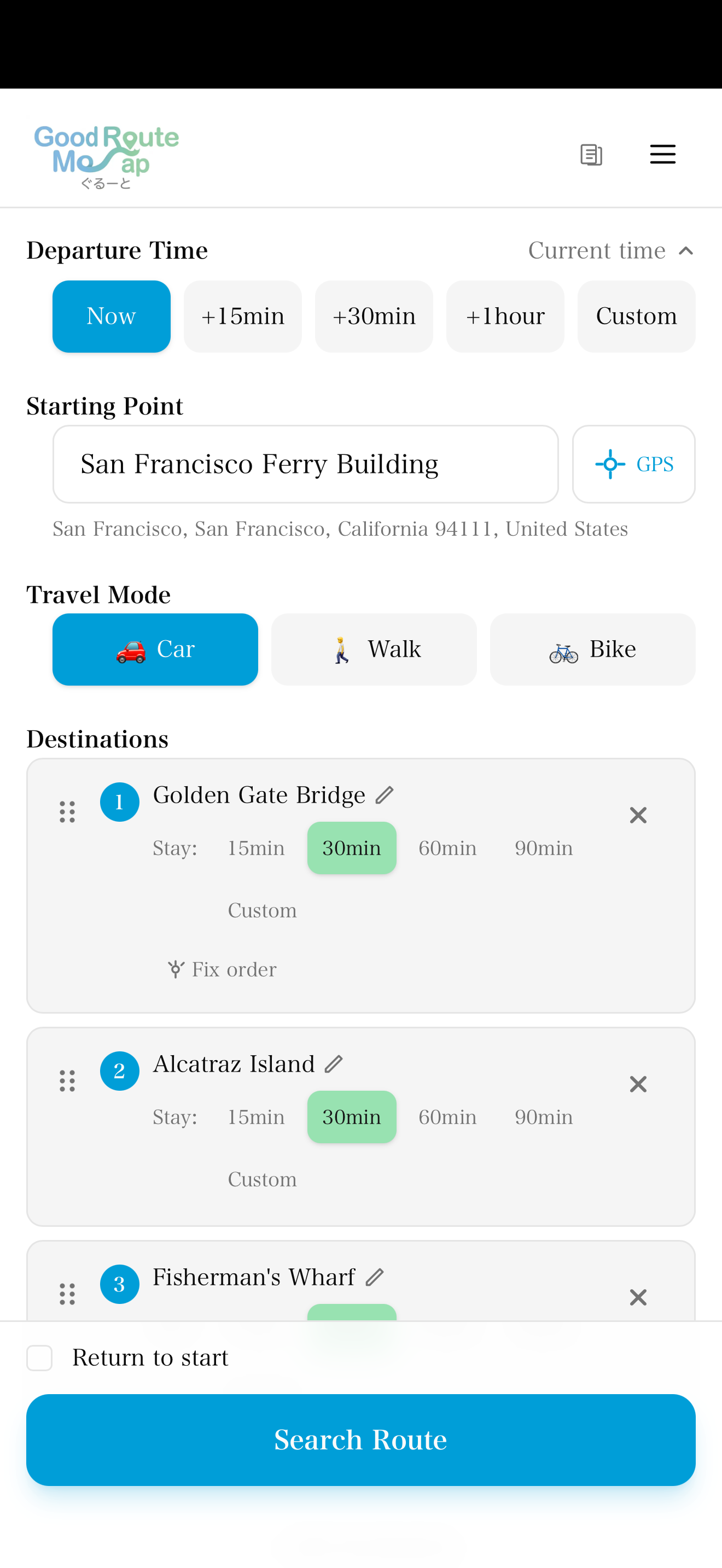
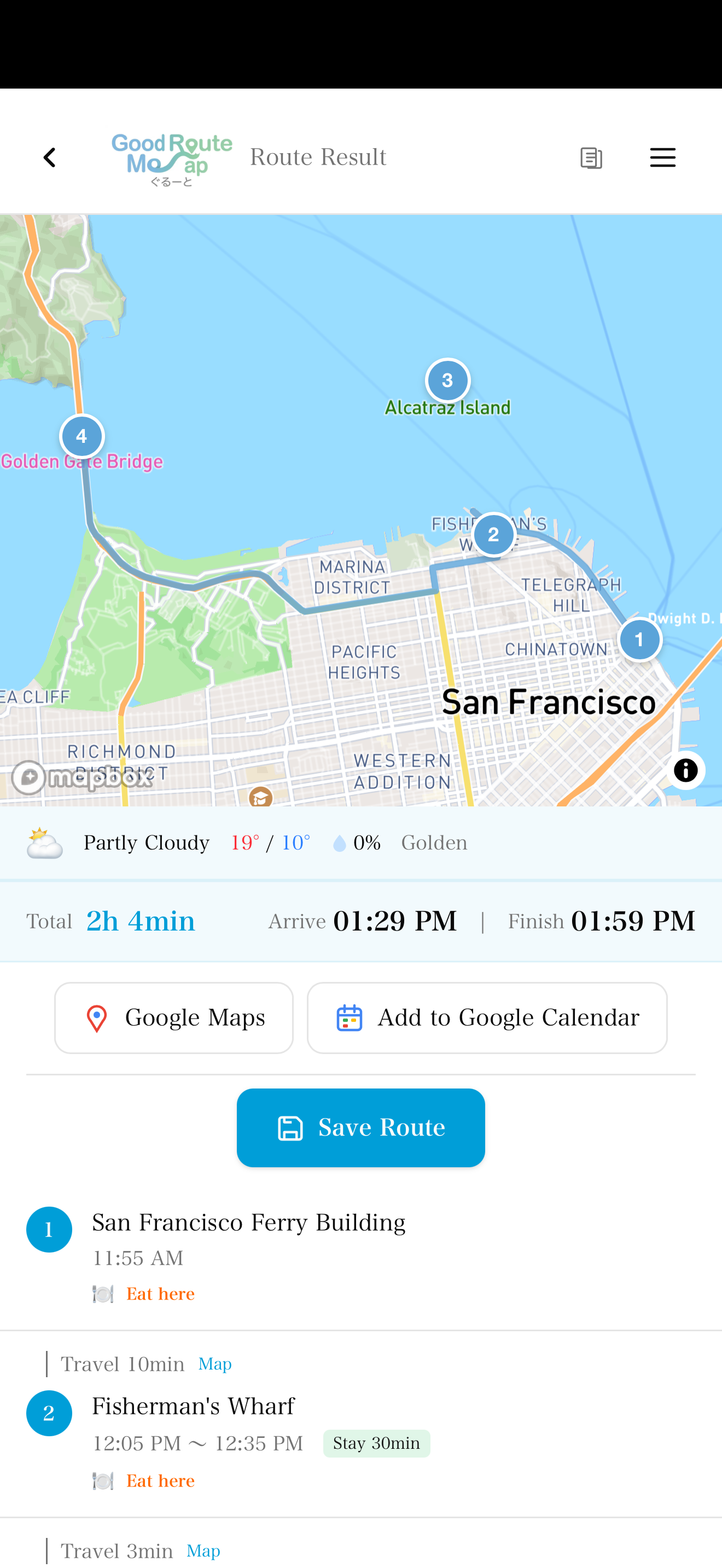
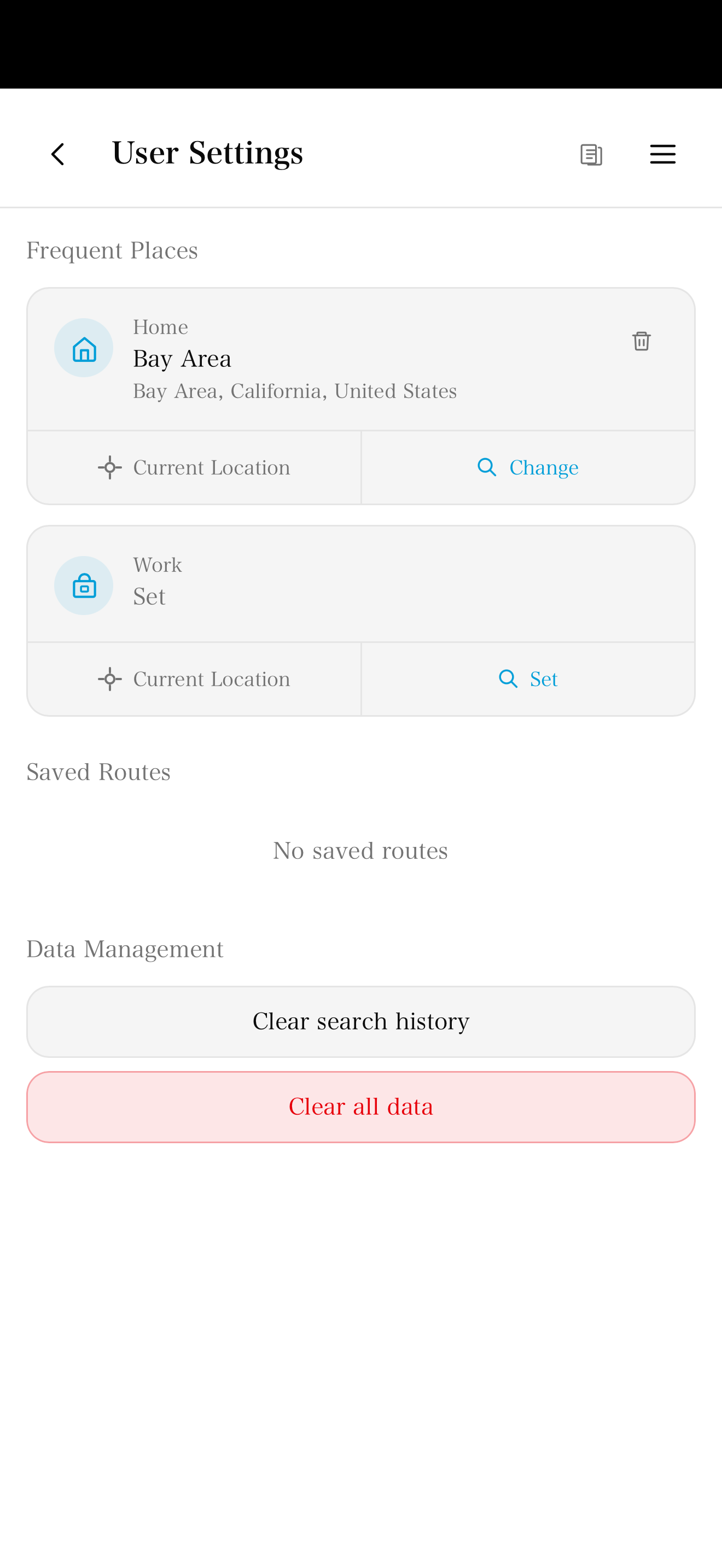
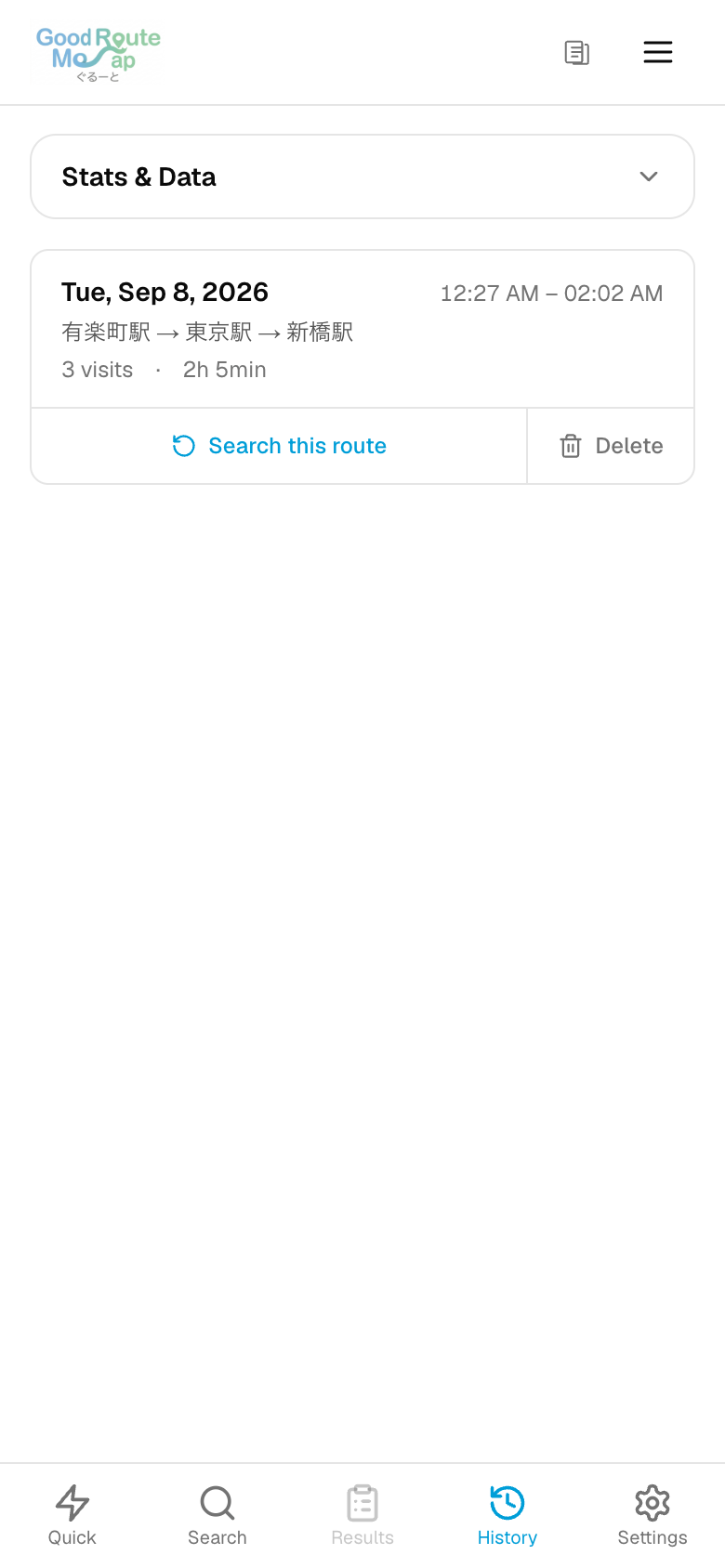
Based on implementation and public Web checks on 8 September 2026. Images show the Web app using sample places.
Screenshots
Screenshots
Features
Key Features
Stop order and estimated arrivals
Calculate a suggested order using travel times. Set departure and stop durations or fix positions in the order. The shortest route is not guaranteed. Target arrival times trigger late warnings; they do not automatically constrain the route.
Bulk address input
Paste one address per line and review the matches. Parsing accepts 20 lines on Free or 100 on Pro. Pro can read CSV/TXT files; CSV uses the first column. Route calculation currently supports 10 stops, so split larger lists into separate plans.
Visit notes and photos
Notes allow 500 characters per stop. Free allows notes/photos at 3 stops per route, with 1 photo per stop. Pro removes the annotated-stop limit and allows 5 photos per stop. iOS selects existing images/files; Android also offers camera capture.
History, CSV and monthly PDF
Store searched routes and their schedules on your device. Pro exports/imports history as CSV and creates monthly PDFs. CSV contains dates, visit counts, planned times, places and notes. It does not export GPS mileage or expense amounts.
Maps and calendar handoff
Leg links open Google Maps or Apple Maps according to your settings. Yahoo Transit links are available for Japan. Google Calendar opens the whole itinerary as one event for you to review and save.
Saved routes and offline viewing
Save 3 routes on Free or unlimited routes on Pro. Reopen up to 5 cached results from the last 24 hours. New searches and route calculations need internet access. One-touch actions, widgets and app shortcuts are available on supported devices.
FAQ
FAQ
How many destinations can I calculate?
Route calculation currently supports 10 destinations on both Free and Pro. The Pro input screen allows 30, but calculations with 11 or more do not complete. Bulk parsing limits of 20/100 lines are separate from the calculation limit.
Is data sent outside my device?
History, notes and photos are stored on your device. Place searches and route calculations send addresses, place information and coordinates to our server, which sends the necessary data to map services. Opening an external map or calendar also passes the selected places or schedule to that service.
How do Pro purchases and trials work?
Purchase Pro inside the iOS or Android app; Web purchases are unavailable. Check the purchase screen for regional prices and eligibility for the 7-day free trial. Cloud sync and team management are not currently provided.
Is the shortest route guaranteed?
Calculate a suggested order using travel times. Set departure and stop durations or fix positions in the order. The shortest route is not guaranteed. Target arrival times trigger late warnings; they do not automatically constrain the route.
Can I use it offline?
Save 3 routes on Free or unlimited routes on Pro. Reopen up to 5 cached results from the last 24 hours. New searches and route calculations need internet access. One-touch actions, widgets and app shortcuts are available on supported devices.
How many photos can I save?
Notes allow 500 characters per stop. Free allows notes/photos at 3 stops per route, with 1 photo per stop. Pro removes the annotated-stop limit and allows 5 photos per stop. iOS selects existing images/files; Android also offers camera capture.
Download
Available on iOS and Android. Free to use.


Share link
Share this URL — it auto-redirects to the App Store or Google Play based on the device.