Field Service Route Planner
Stop rebuilding the same round every time
Go(od)Route orders your service calls efficiently and keeps notes, photos and route history in one place.
Best for: Equipment inspection, building management, fire safety checks, vending restocking, utility maintenance
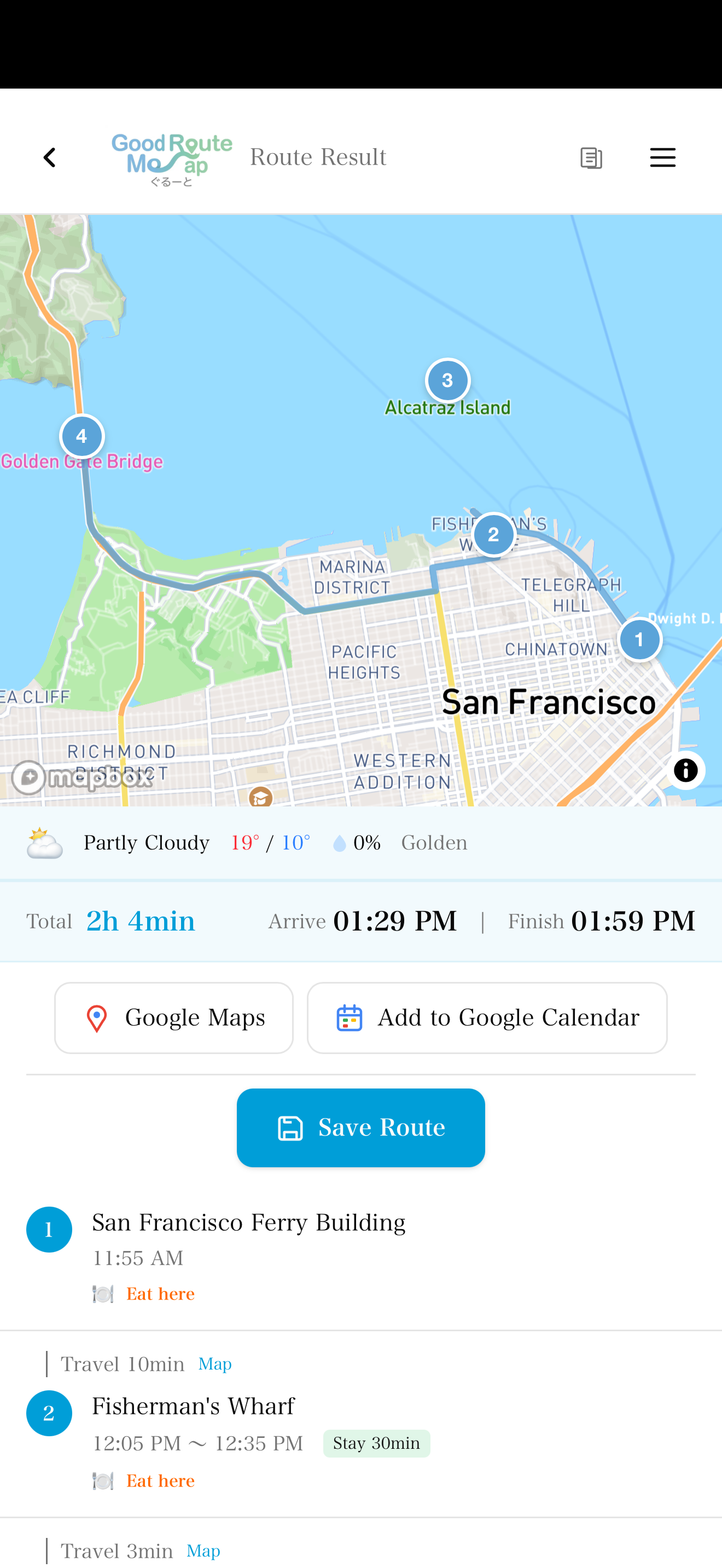
Current limits and how the app works
How many destinations can I calculate?
Route calculation currently supports 10 destinations on both Free and Pro. The Pro input screen allows 30, but calculations with 11 or more do not complete. Bulk parsing limits of 20/100 lines are separate from the calculation limit.
Is data sent outside my device?
History, notes and photos are stored on your device. Place searches and route calculations send addresses, place information and coordinates to our server, which sends the necessary data to map services. Opening an external map or calendar also passes the selected places or schedule to that service.
How do Pro purchases and trials work?
Purchase Pro inside the iOS or Android app; Web purchases are unavailable. Check the purchase screen for regional prices and eligibility for the 7-day free trial. Cloud sync and team management are not currently provided.
Is the shortest route guaranteed?
Calculate a suggested order using travel times. Set departure and stop durations or fix positions in the order. The shortest route is not guaranteed. Target arrival times trigger late warnings; they do not automatically constrain the route.
Pain Points
What slows a service round down
- ! Working out an efficient order again for every round
- ! Notes and photos scattered across separate apps
- ! Handover between engineers loses the route knowledge
- ! Visit plans are left unrecorded
Solution
What Go(od)Route does
- ✓ Add all your sites and get an efficient order
- ✓ Save recurring rounds and call them up unchanged
- ✓ Attach notes and photos to each site
- ✓ Export searched routes as CSV or monthly PDF with Pro
Workflow
On the day
Open the saved route
Load last time's round as it was, then add any one-off calls.
Recalculate the order
The order is worked out again including the additions.
Record as you go
Leave notes and photos at each site. Searched routes and their planned times are saved in history.
Why It Works
Built for the field
Go(od)Route focuses on the work before navigation: deciding the order, saving repeat routes, and keeping useful records.
Recent routes are cached offline for basements and remote sites
Notes and photos stay on your device and are never sent to our servers
Reopen saved routes, check today’s conditions and recalculate
FAQ
Frequently Asked Questions
Does it suit rounds that repeat monthly?
Yes. Save the route once and load it in following months. Most teams add only the one-off calls and recalculate.
Where are inspection records stored?
Notes and photos are stored on your device and are never sent to our servers. Pro exports route-history CSV and monthly PDF; photo attachments are not included.
Can several engineers share a route?
Collaborative editing is not available today. Each engineer registers the same site list on their own device.
Cut the preparation time
Save your recurring rounds and stop sequencing them by hand.
Related Use Cases
Delivery Route Planner
Turn a delivery address list into a route plan
Sales Route Planner
Plan a field-sales day in minutes
Home-care Route Planner
Keep appointment-based visits on schedule
Multi-stop Route Planner
Turn an address list into a multi-stop route
Google Maps Alternative
Review your stop order, then open Google Maps
Route Optimization App
Stop spending your morning working out the order
Property Viewing Route
Decide the viewing order before the appointment
TSP Route Planning